
The git panel
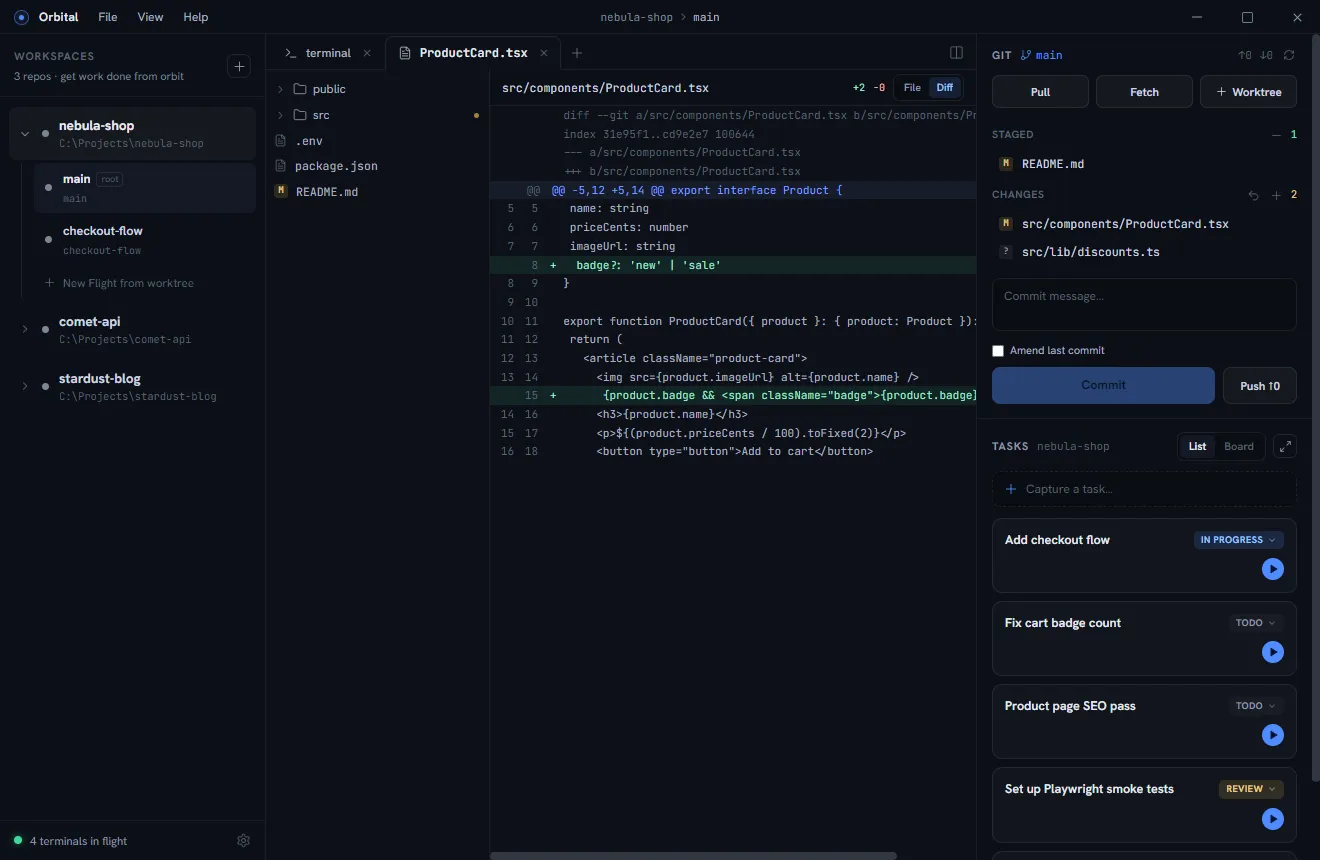
The right panel’s git section always shows the active worktree’s working tree — in a linked worktree that’s its own checkout, in the root worktree your main checkout.
What’s there
- Branch + ahead/behind counts against the upstream, with Pull / Fetch, and a Push that sets the upstream automatically on first push.
- Staged and Changes lists with per-file state badges (modified / added / deleted / renamed / untracked / conflicted).
- Hover a file for stage / unstage / discard actions. Discard (and discard-all) is a two-step confirm: first click arms it, ✓ executes. Untracked files are deleted; staged changes always survive a discard-all.
- Commit with an Amend toggle that prefills HEAD’s message.
Diffs
Click any changed file to open its diff in an editor tab — unified view, line
numbers on both sides, syntax-highlighted code, and +N −N counts in the
header. Staged files diff against the index.
Commit history
The clock button in the panel header (or View ▸ Commit History…) opens the current branch’s history as a full-size modal, like the task board.
- Left: a lane graph and the commit list, newest first — subject, branch
and tag badges, a
HEADmarker, short hash, author, and how long ago. Merges draw as hollow nodes with their second parent forking into its own lane. Scroll to the bottom for Load more; ↑/↓ walk the list. - Right: the selected commit’s full message, author and date, its hash
(click to copy), and every file it changed with
+N −Ncounts. The first file’s diff opens straight away; click another file to switch.
The list follows the checkout: a commit, pull, or checkout made anywhere (the panel, a terminal, an agent) moves the tip and the history reloads.
Always current
Filesystem watchers cover every checkout — the repo root and each linked
worktree (including their real HEAD/index, which git keeps inside the main
repo’s .git/worktrees/). Agent edits, terminal commits, checkouts from another
tool: the panel refreshes on its own, no manual reload.
A review flow that works
When an agent reports done in nebula-shop’s checkout-flow worktree:
- Activate the worktree — the panel is already scoped to it.
- Walk the changed files, reading each diff.
- Stage what’s good; leave (or discard) what isn’t.
- Commit, push, open the PR from the worktree’s terminal.
- Right-click the worktree → Delete worktree once merged.