What is Orbital?
Orbital is a desktop app for people who run multiple coding agents at once — Claude Code, Codex, or any CLI tool — across one or many repositories.
The problem it solves
An agent working on a real task blocks on you constantly: permission prompts, clarifying questions, finished work waiting for review. With one agent that’s manageable. With three or four, plain terminal windows turn you into the scheduler — alt-tabbing around, discovering that one agent has been stuck on a permission prompt for ten minutes while another finished long ago.
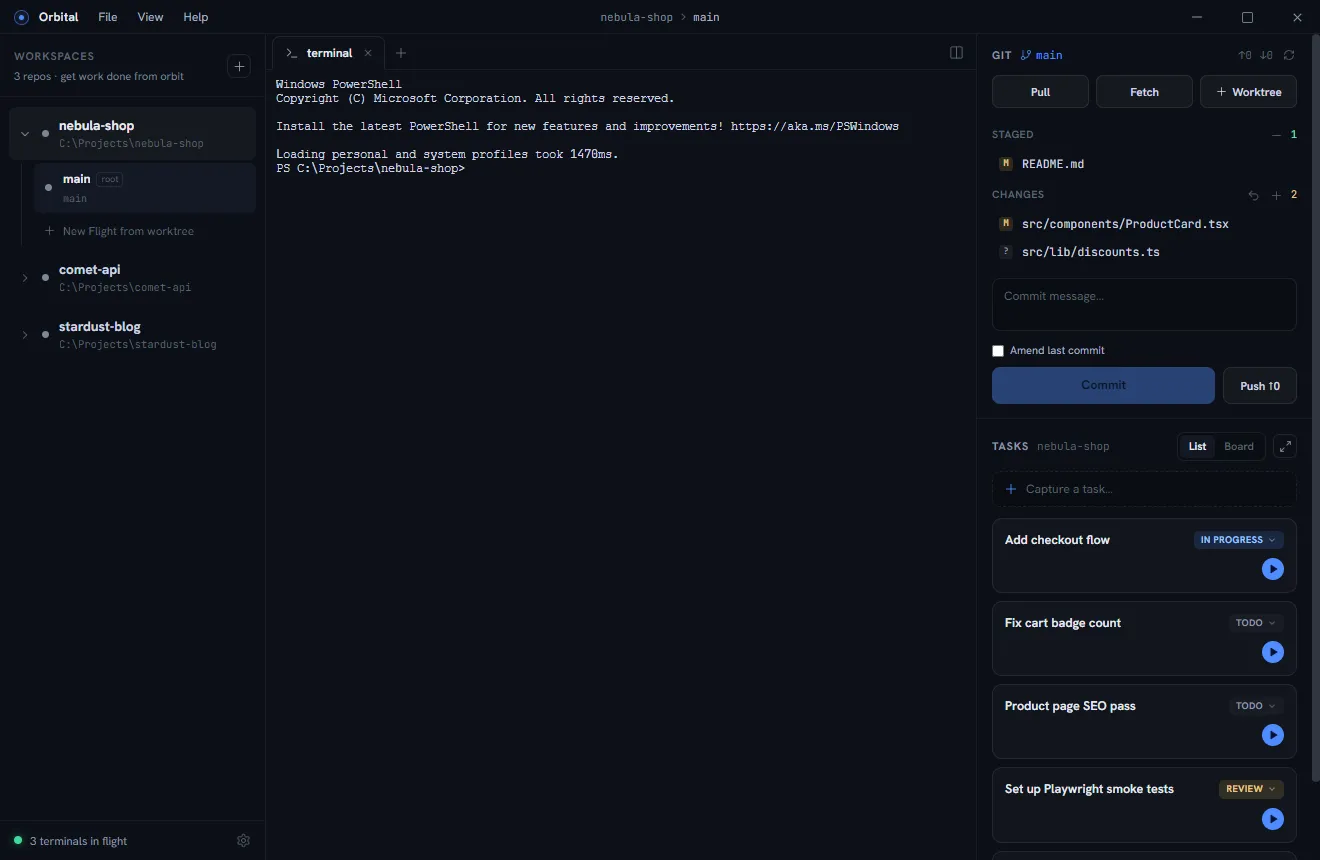
Orbital’s answer is a cockpit:
- Each stream of work runs in its own worktree — an isolated git worktree with its own branch, terminals, browser previews, and editor.
- Every terminal carries a live status. The left rail, the title bar, and the Windows taskbar all tell you the moment an agent needs you.
- A built-in git panel and task tracker close the loop: review the diff, commit, push, mark the task done, delete the worktree.
What Orbital is not
- It is not a wrapper around your agent, and it never spends tokens. Orbital spawns the real interactive CLI in a real terminal (ConPTY), so you keep the full feature set of your preferred harness — slash commands, hooks, MCP servers, permission modes — and everything runs on your existing subscription instead of metered API usage. Claude Code is fully supported at launch; Codex support is planned.
- It is not a merge tool or CI system. It orchestrates working copies and surfaces state; git semantics stay plain git.
- It never writes into your repositories. All of Orbital’s state lives in
SQLite under your user profile. Worktrees are created in a sibling
.orbital-worktreesdirectory, not inside your repo.
The core loop
Throughout these docs we use three example projects: nebula-shop (a storefront), comet-api (its order service), and stardust-blog (a content site).
- Add
nebula-shopas a project. - Capture tasks as they occur to you (“Add checkout flow”, “Fix cart badge count”).
- Start a worktree from a task — branch, worktree, terminal, one click.
- Boot an agent in the worktree and brief it.
- Keep working yourself; Orbital chimes when the agent needs you.
- Review the diff in the git panel, commit, push, mark the task done.