Isolated Flights
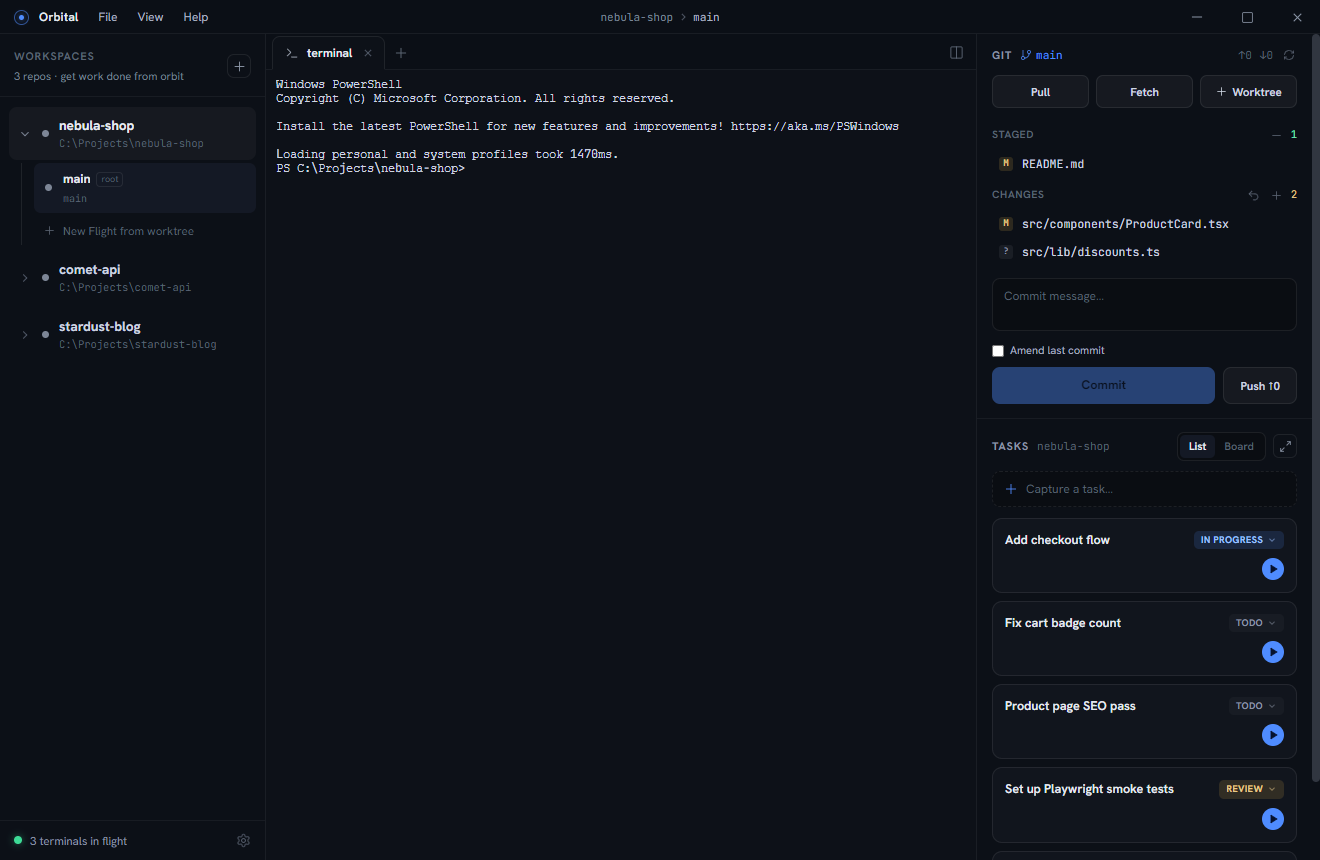
Every stream of work gets its own git worktree, branch, terminals, and pane
layout — created in one click, with your .env files synced in
automatically. Agents never trample each other’s changes.
Mission control for coding agents
Orbital runs many interactive coding agents side by side — each in its own git worktree with terminals, previews, and diffs — and tells you the moment one needs you. The full power of your preferred harness (Claude Code at launch, Codex planned), on your subscription instead of metered tokens.
Flight systems
Every stream of work gets its own git worktree, branch, terminals, and pane
layout — created in one click, with your .env files synced in
automatically. Agents never trample each other’s changes.
Terminals report their status live. When an agent blocks on a permission prompt, the rail pulses, the title bar shows a banner, the taskbar icon is badged — and typing into the agent clears it instantly.
Split panes of terminals, in-app browser previews, and an editor with syntax-highlighted diffs and image rendering — plus a full git panel to review, commit, and push finished work.
Orbital runs the real interactive CLI, so nothing is lost in a wrapper —
slash commands, hooks, MCP servers, permission modes all work. And the
orbital CLI lets agents set status, file tasks, and register
dev servers, so the cockpit always reflects reality.
Instrumentation
$ orbital status working
$ orbital server add 3000
dev server registered: http://localhost:3000/ (1 live)
$ orbital task add "Fix cart badge count"
task added: Fix cart badge count
$ orbital status needs-attention
● nebula-shop / checkout-flow needs you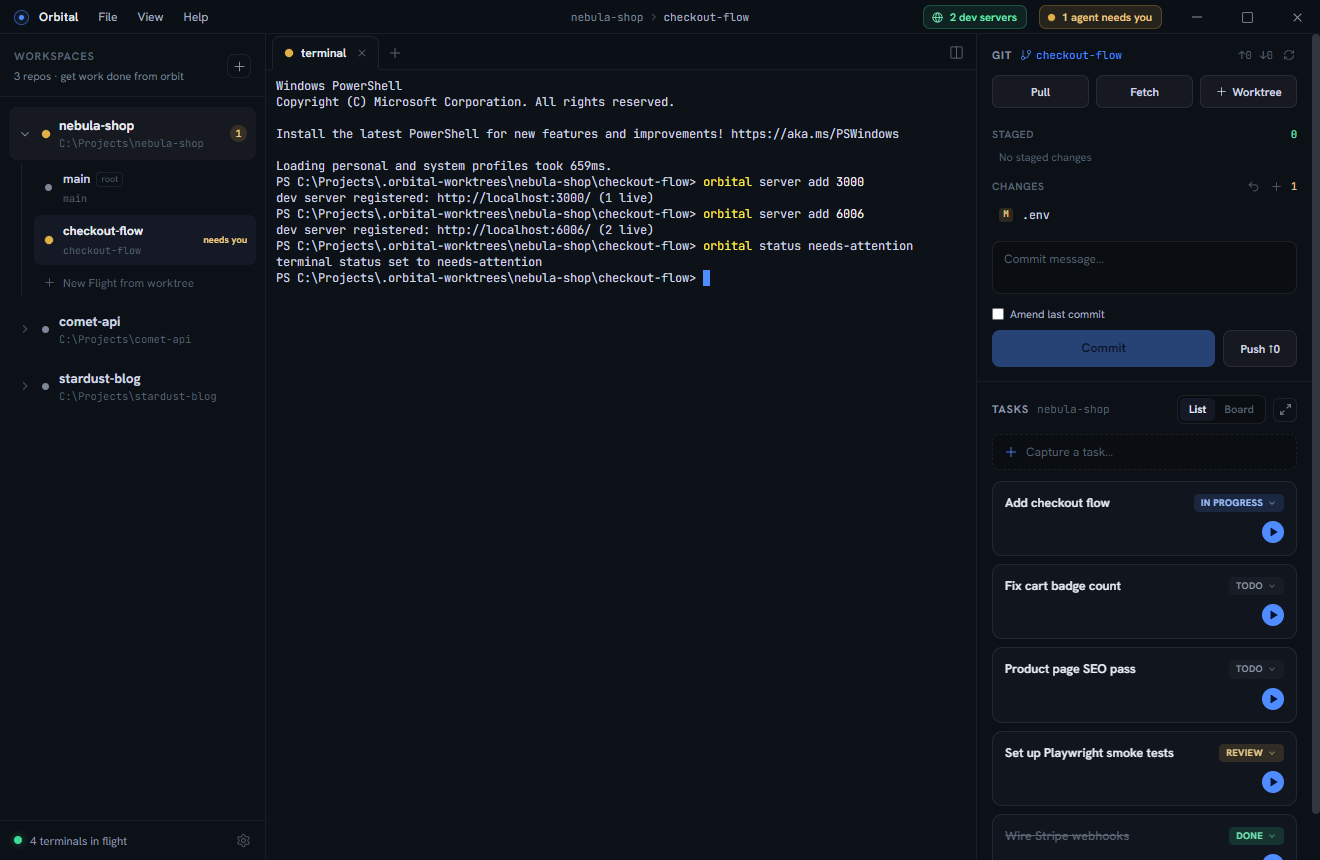
Windows 10/11 · Claude Code at launch, Codex planned · your subscription, not tokens · MIT licensed