
Dev servers
When an agent (or you) starts a dev server inside a worktree, tell Orbital:
orbital server add 3000 # → http://localhost:3000orbital server add localhost:6006 # host:port works tooorbital server add https://dev.nebula.test:8443Port-only and host-only forms are normalized to full URLs. Registrations are per worktree and live only while Orbital runs — dev servers die with their terminals, so there’s nothing stale to clean up after a restart.
What you see
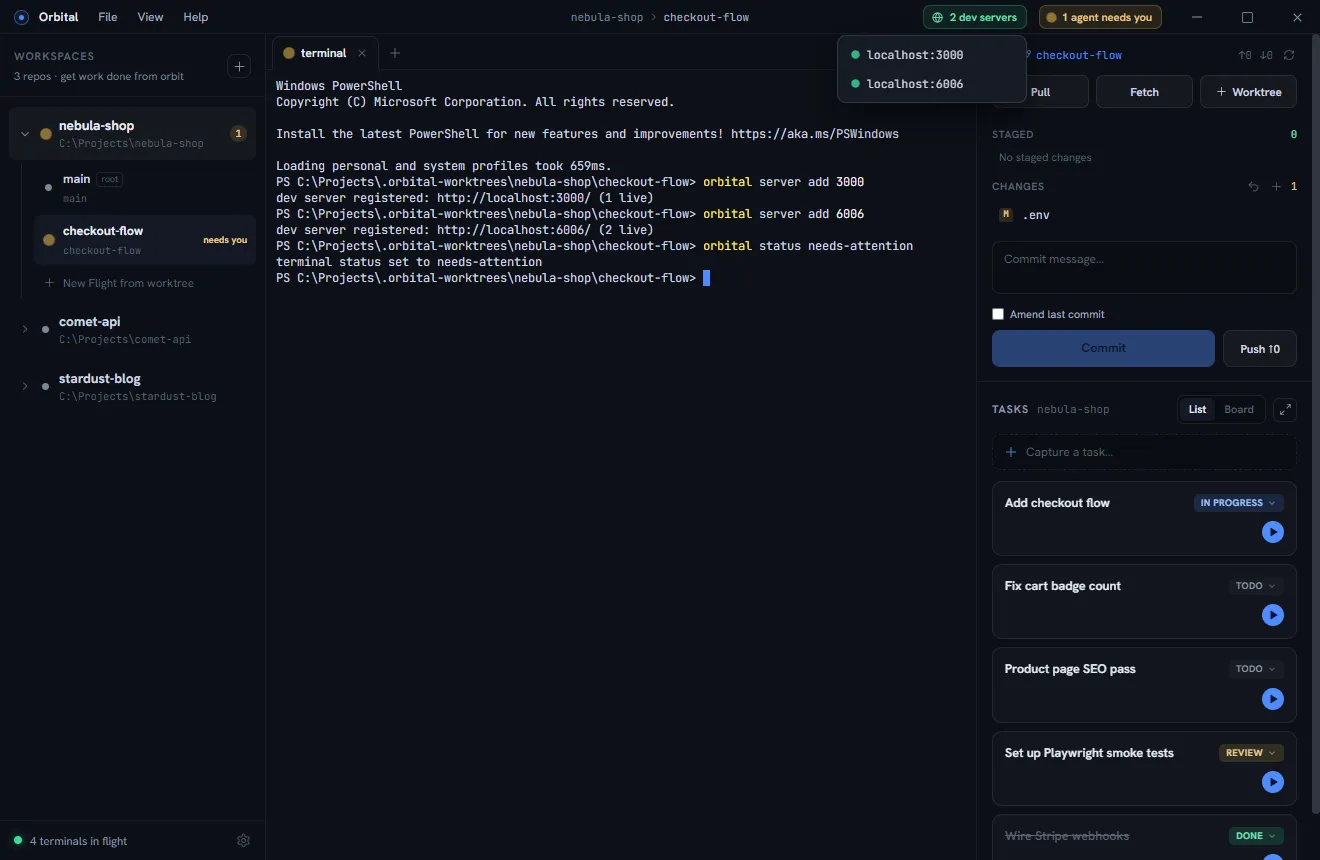
The title bar shows a green “N dev servers” pill for the active worktree. Click it to pick a server — it opens in an in-app browser tab right next to your agent:
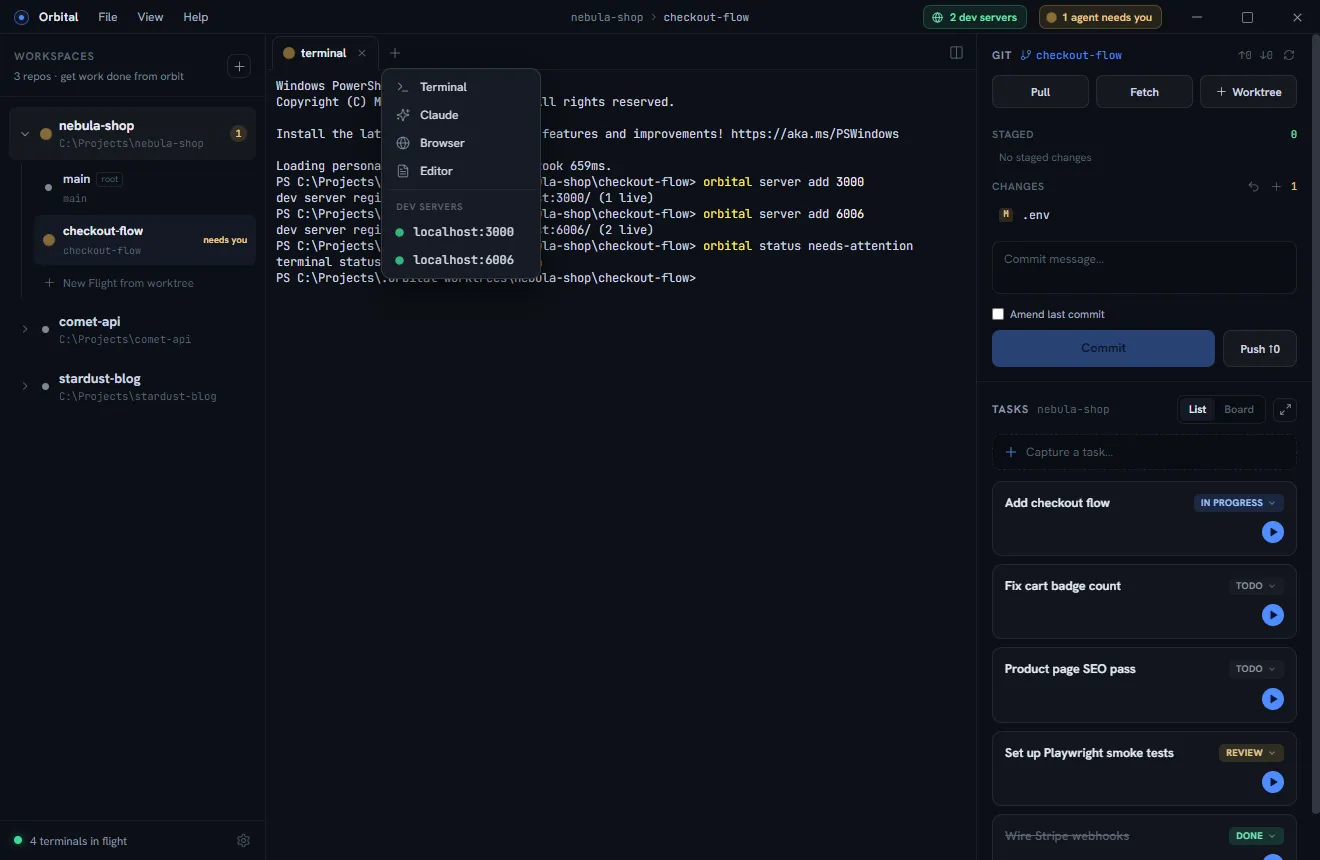
The same servers appear in every pane’s add-tab menu, under the standard tab types:
Removing and listing
orbital server remove 3000 # by port…orbital server remove http://localhost:3000/ # …or exact URLorbital server listBriefing your agents
Agent tabs are told about these commands automatically. A one-line instruction in your repo’s agent config makes it stick for terminal-launched agents too:
When you start a dev server, run
orbital server add <port>; when you stop it, runorbital server remove <port>.